Billing & invoicing
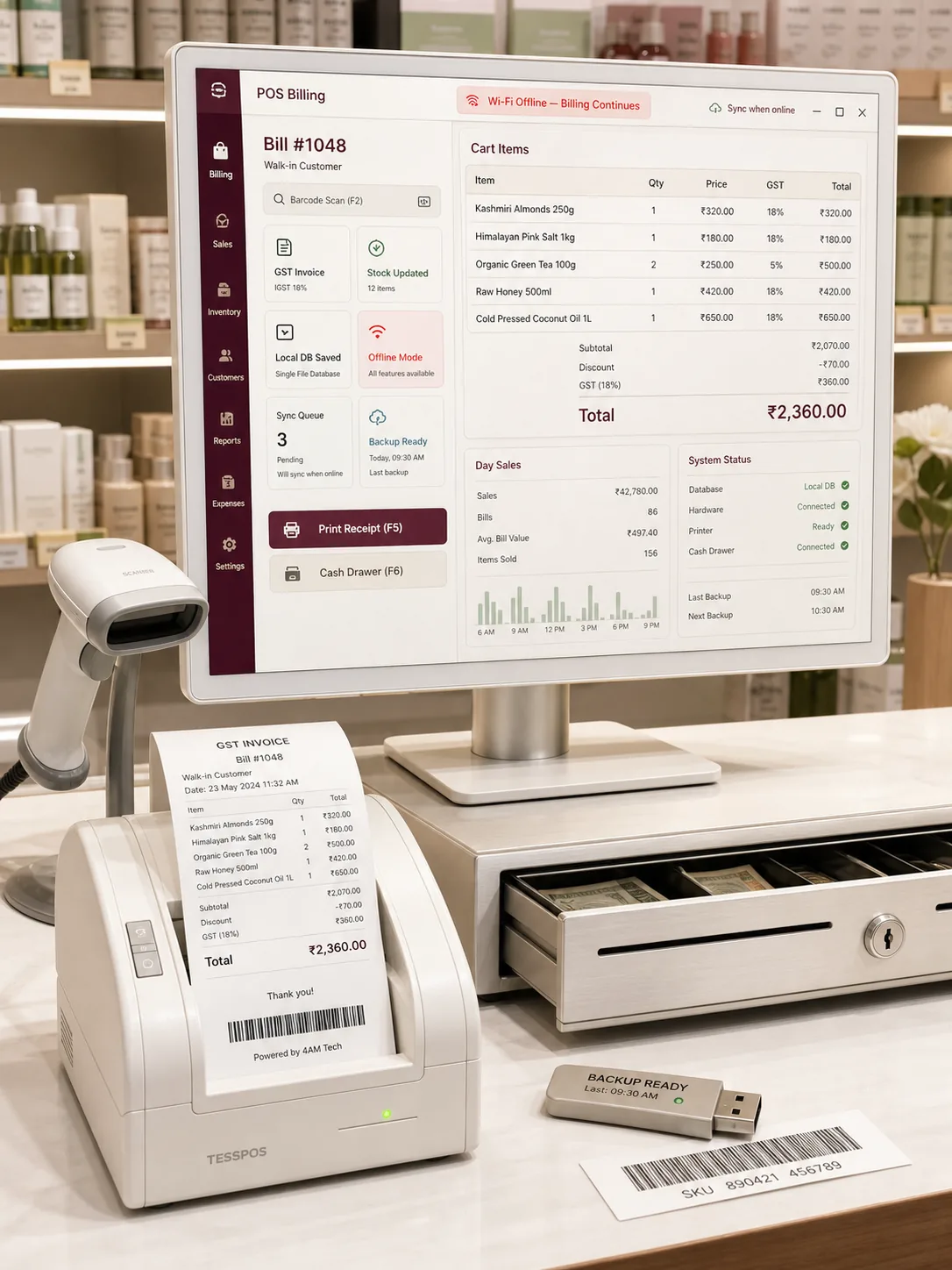
GST-ready invoices, quotations and receipts in seconds. Print to thermal 2-inch or 3-inch rolls or A4 and A5, and share the bill on WhatsApp or email in one click.
// DESKTOP SOFTWARE
Desktop software is an installable Windows or macOS application that runs on your own machine and keeps working offline, ideal for billing, POS, inventory and counter operations. We build fast desktop tools where your data lives locally, bills print in a second, and nothing stalls because the internet went down. Built in Mumbai, deployed across India.
Mumbai team. Support across India.
// WHY DESKTOP, NOT JUST A WEB APP
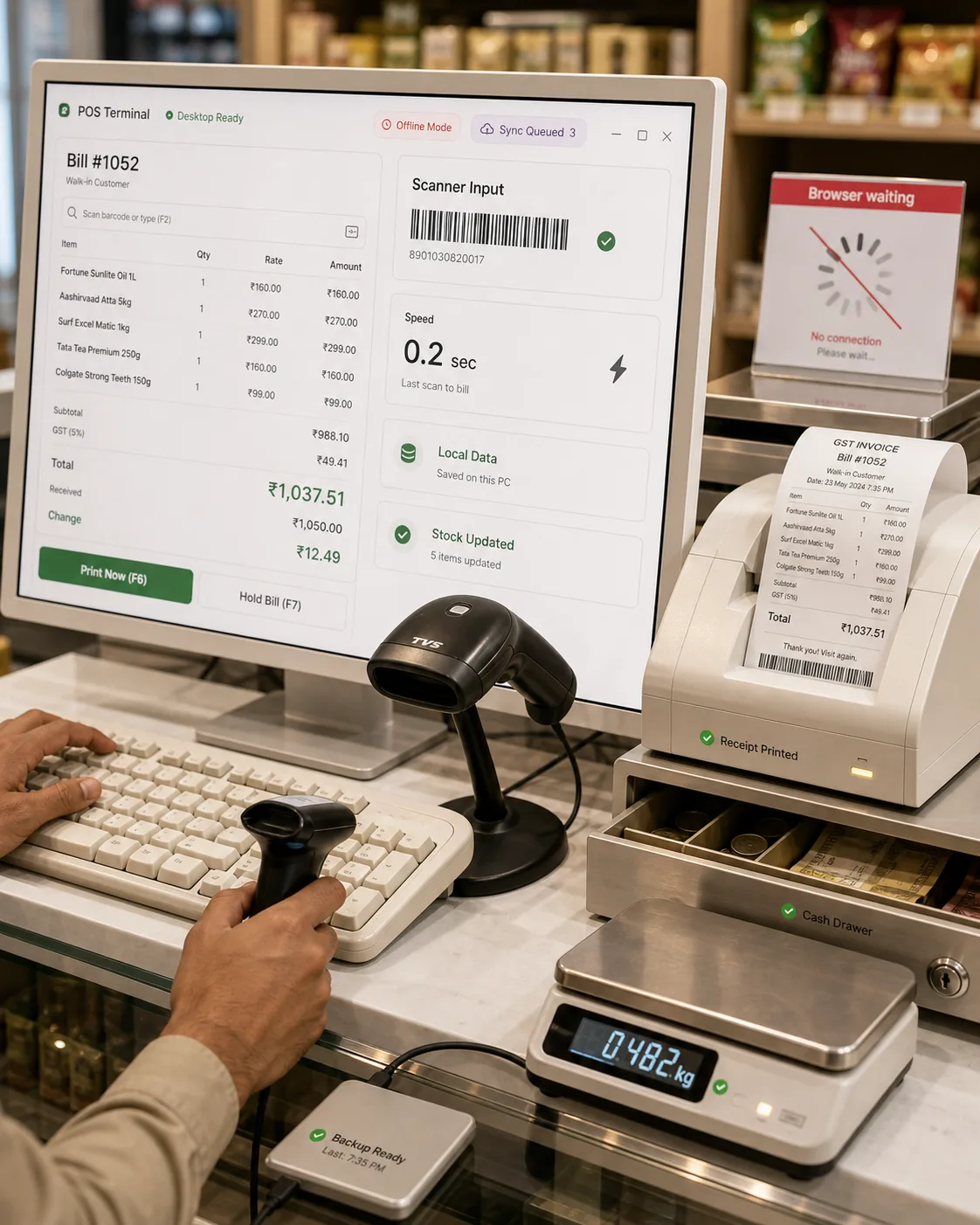
A browser tab is fine for casual use. A counter on a busy evening is not casual. Desktop software installs once, opens instantly, talks directly to your printer, scanner and cash drawer, and keeps billing customers whether the connection is strong, weak or gone.
Instant startup and instant billing, no page reloads, no waiting on a server.
Direct access to thermal printers, barcode scanners, cash drawers and weighing scales.
Keeps running with zero internet; syncs and backs up the moment you reconnect.
Data stored locally on your PC, under your control, not on someone else's cloud.
Keyboard-first workflows so a trained operator bills faster than any touchscreen.
// WHAT WE BUILD
We do not sell a fixed product. We build the exact tool your counter, clinic or studio needs, and only that.
GST-ready invoices, quotations and receipts in seconds. Print to thermal 2-inch or 3-inch rolls or A4 and A5, and share the bill on WhatsApp or email in one click.
Fast checkout with barcode scanning, multiple billing counters, discounts, returns and day-end cash reports. Built for rush-hour speed.
Live stock levels, low-stock alerts, batch and expiry tracking, purchase entries and supplier records, all on your machine.
Appointments, patient history, prescriptions and billing in one window, with records that stay private on your own computer.
Bookings, job cards, work-in-progress tracking and client records for salons, photo studios, workshops and local service businesses.
Daily sales, GST summaries, outstanding payments and stock movement, exportable to Excel or PDF whenever you need them.
// WHAT COMES BUILT IN
Every build we ship is engineered around these fundamentals.
Offline-first core: full billing and operations with no internet at all
Local database on your PC, with automatic and on-demand backup
One-click restore and data transfer when you move to a new computer
Direct printing to thermal receipt printers and A4 and A5 invoices
Barcode scanner, cash drawer and weighing-scale support
Role-based logins so staff see only what they should
Export to Excel and PDF for your accountant and CA
Silent auto-updates so every machine stays on the latest version
// YOUR DATA, YOUR MACHINE
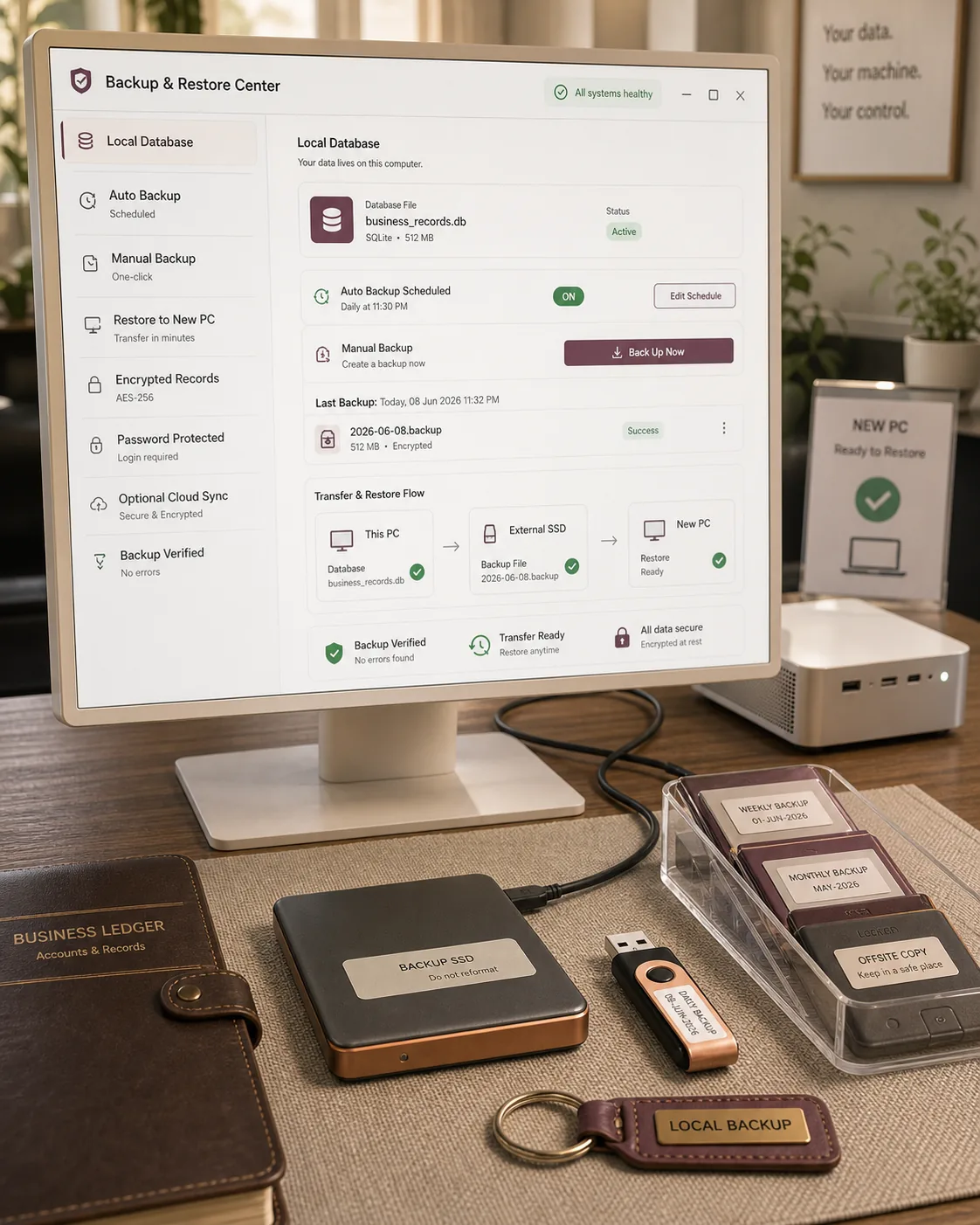
Desktop software means your business records sit on your own computer, not on a rented server you can never see. We pair that control with disciplined backups so a stolen laptop or a crashed hard disk never becomes a lost ledger.
All records stored in a reliable local database on your machine.
Scheduled automatic backups plus one-click manual backup.
Restore to the same or a new PC in minutes, no data held hostage.
Encryption for sensitive fields and password-protected logins.
Optional secure sync to your own cloud or a head-office system.
// HOW WE BUILD IT
A clear, low-risk path. You see progress at every stage and always know what happens next.
We sit with you, in person in Mumbai or over a call anywhere in India, to map exactly how you bill, stock and serve today, and where it slows you down.
We design the actual screens and workflows so you can see and approve the software before a line of it is final.
We develop the software and wire it to your real printers, scanners and drawers, testing on the kind of machines you actually use.
We load sample bills, stock and patients and stress-test billing, printing and backups until it is rock solid.
We install on every machine, set up backups and printing, and train your staff until they are fast and confident.
We stay on call for fixes, new features and silent updates as your business grows.
// BUILT FOR THE WAY INDIA RUNS
// A LOOK INSIDE
A glimpse of the kind of software we deliver: fast, clean and made for daily use.
// COMMON QUESTIONS
Yes. The software is offline-first. Billing, stock, printing and daily operations all run with zero connection. When you reconnect, it can sync or back up automatically if you want it to.
Yes. We build for Windows and macOS. Tell us which machines you use at the counter, the clinic or the back office and we will target those.
Yes. We connect directly to thermal 2-inch and 3-inch receipt printers as well as regular A4 and A5 printers, and we test it on your actual hardware before handover.
Your data sits in a local database on your own computer, not on someone else's cloud. We add encryption, password logins and automatic backups, and you can restore to a new PC in minutes.
Yes. We build GST-compliant invoices, tax summaries and reports that your accountant or CA can work with, and export to Excel or PDF whenever needed.
Yes. We install on every machine, train your team, and stay on call for fixes, new features and silent updates as your business grows.
// A CLOSER LOOK
More views of the desktop software we build for real counters and offices.
// EXPLORE MORE
Desktop software often pairs with these.
// LET'S BUILD IT
A quick call is the fastest way to start. Tell us about your counter, clinic or studio and we will tell you exactly what we would build. No jargon, no pressure.
Mumbai-based. Serving businesses across India.